Bass Builder
The guided panel on the left. Hide it with the Builder button for more room.
- Body / Character / Shape / Movement / Space
- Five rows, one choice each. Each choice sets a group of knobs and explains what changed.
Guide · v1.1
Bass and sub synth
A bass synth with a separate sub that stays clean under any amount of distortion. Play it from the piano roll, or drag a note or loop into FL as a WAV.
VST3, CLAP and standalone app · Windows 64-bit
Made for FL Studio
Download Bassbox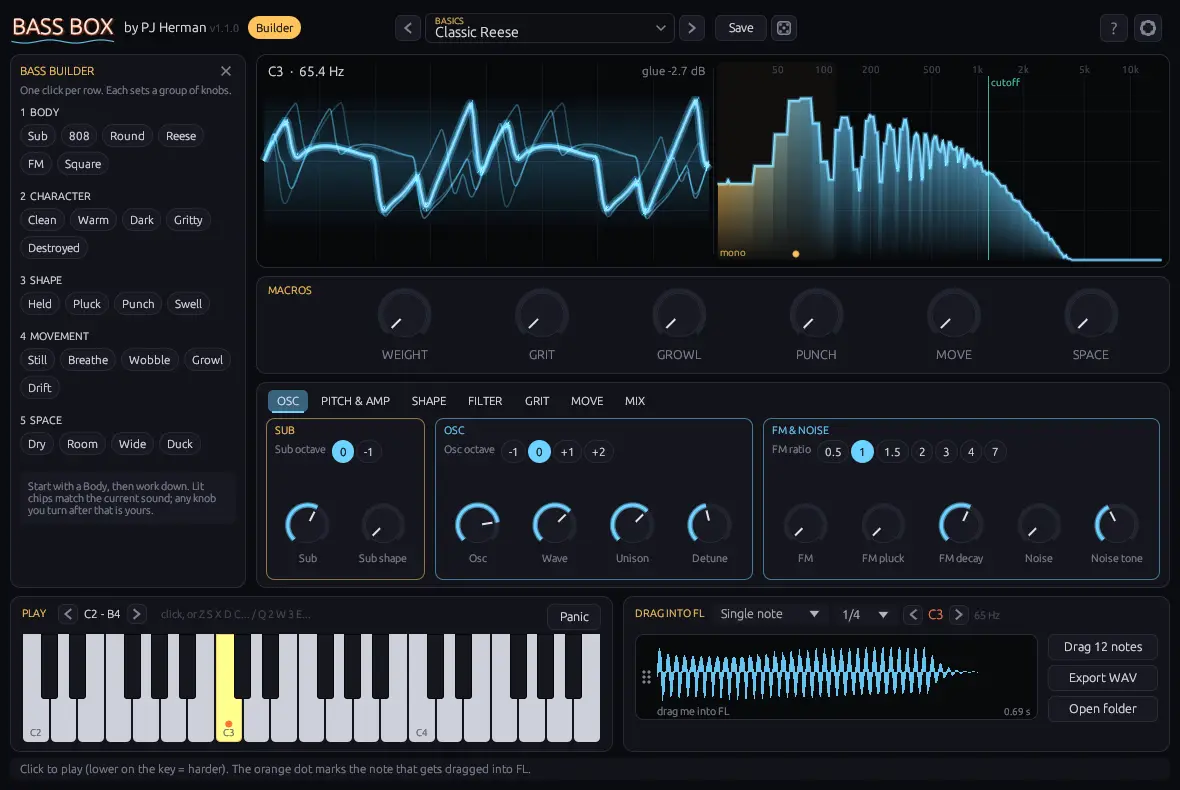
Step through presets with the arrows at the top, or use the Bass Builder: one click per row (Body, Character, Shape, Movement, Space). Each choice sets a group of knobs and tells you what it did.
From FL's piano roll, the keys on screen, or your computer keyboard (Z S X D C… and Q 2 W 3 E…).
Six big knobs do most of the work: WEIGHT, GRIT, GROWL, PUNCH, MOVE and SPACE. All automatable; the mod wheel rides MOVE.
Bass dice makes a properly different bass every time, keeping your pitch, voice mode and loudness. Reload the preset to go back.
Drag the waveform at the bottom right into the playlist, Channel Rack or a sampler: a single note or a seamless 1, 2 or 4 bar loop.
How the sound is built:
The sub skips the filter and the grit, so the low end stays clean however dirty the top gets.
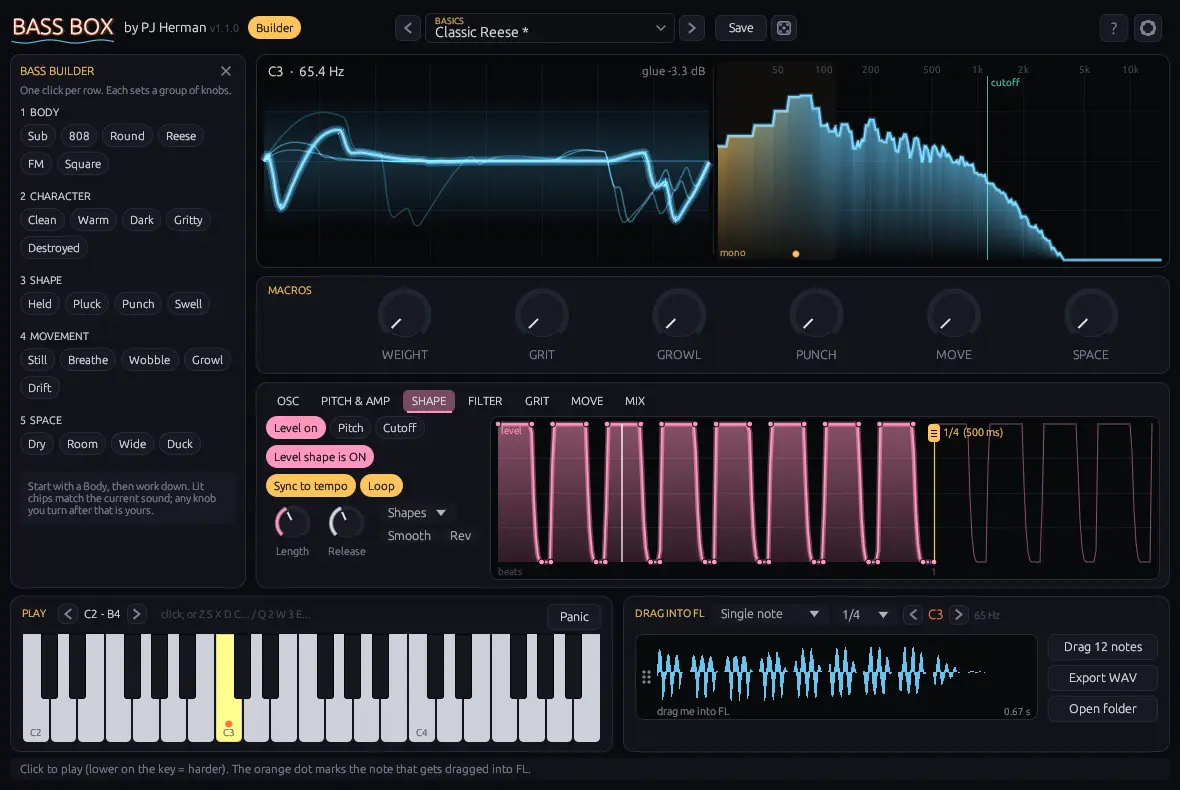
The guided panel on the left. Hide it with the Builder button for more room.
Bottom right of the window.
Hover any control in the plugin and the bar at the bottom explains it. The ? button opens the built-in help.
Under the gear icon. They apply to every copy of the plugin on your computer.
| Interface size / Hover hints | 75% to 150%, and the explanation bar at the bottom. |
| Polyphony / Pitch bend / Velocity | Voices in Poly mode, bend range and how much velocity matters. |
| Mod wheel controls | MOVE, GROWL or GRIT, or the filter cutoff. |
| CPU saver | Caps unison at 3 voices. |
| Export folder / format / Normalize | Where dragged files go, sample rate, bit depth and peak level. |
| Include Duck / Tempo in file names | Bake the beat pump into WAVs, and add the BPM to file names. |
Unzip the download and copy the .vst3 folder to C:\Program Files\Common Files\VST3\. Replace the old one when you update.
In FL Studio open Options › Manage plugins and click Find installed plugins. Tick Bass Box so it shows in your list, then add it to the Channel Rack.
The files aren't code signed yet, so Windows may say “unknown publisher”. Click More info, then Run anyway.
Free during early access