Guide · v0.8.2

Vocalbox

Ghost vocal chopper

Load an acapella and Vocalbox cuts it into short chops in your key and tempo. You can play them, sequence them on the Rhythm tab, or stretch one into a long pad.

Freepay what you want

VST3 and CLAP · Windows 64-bit

Made for FL Studio

Download Vocalbox
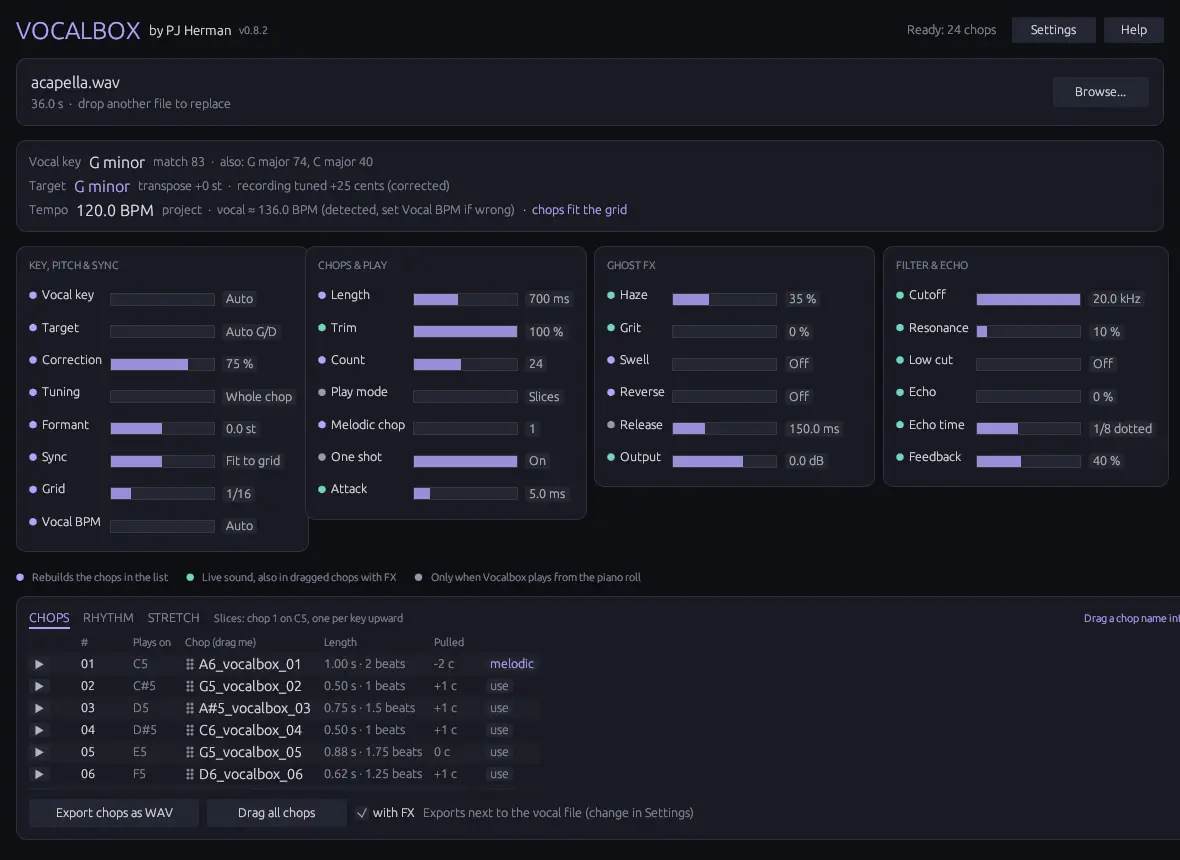
Vocalbox plugin window
The main window: detected key and tempo at the top, the four control columns, and the chop list with each chop's key and length.
Getting startedThe interfaceSettingsTipsInstall

Getting started

  1. Load a vocal

    Drag a WAV, MP3, FLAC, AIFF or OGG onto the window, or click Browse. A dry solo acapella works best. After a few seconds the status says “Ready” with the number of chops.

  2. Play the chops

    In Slices mode chop 1 sits on C5 in the piano roll, chop 2 on C#5 and so on. In Melodic mode you pick one chop and play it on any key.

  3. Shape the sound

    Add Haze for dark reverb fog, Grit for saturation, Swell for a reverse-reverb breath before each chop, or play them backwards.

  4. Make patterns or pads

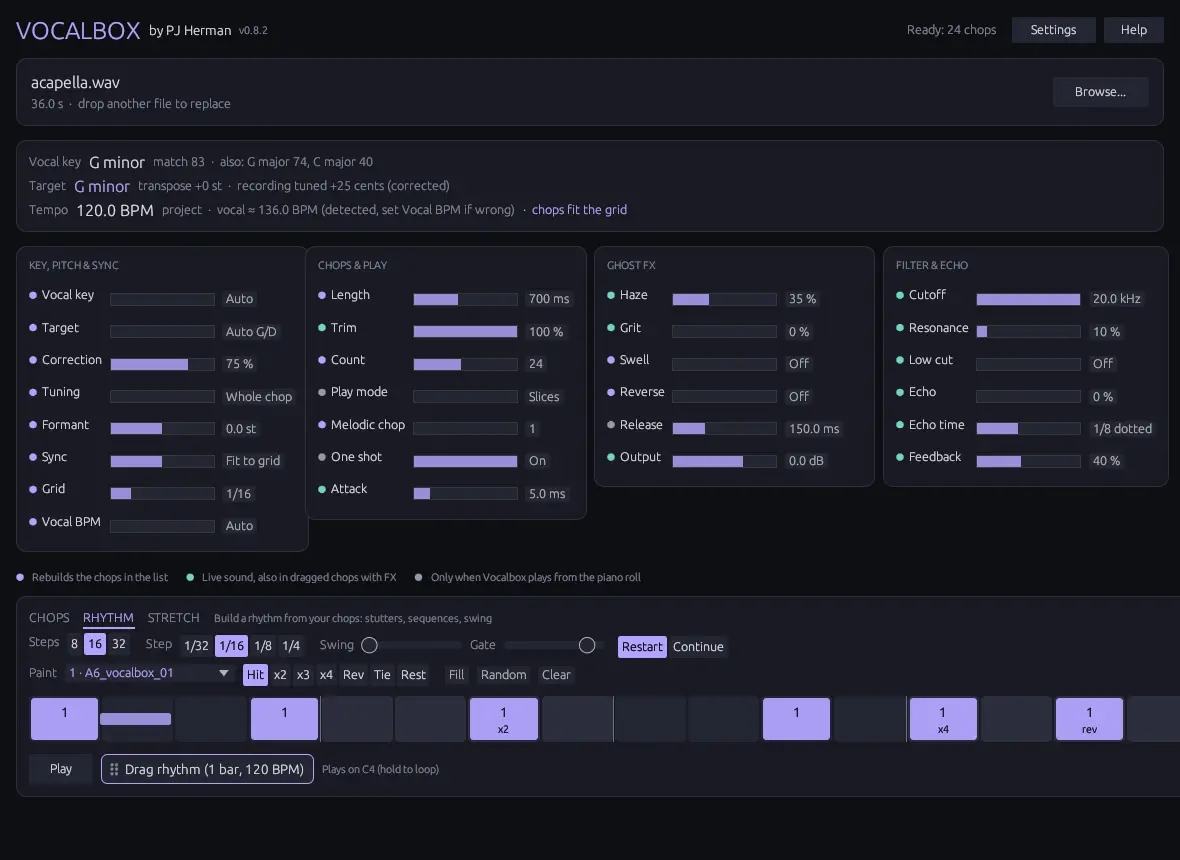
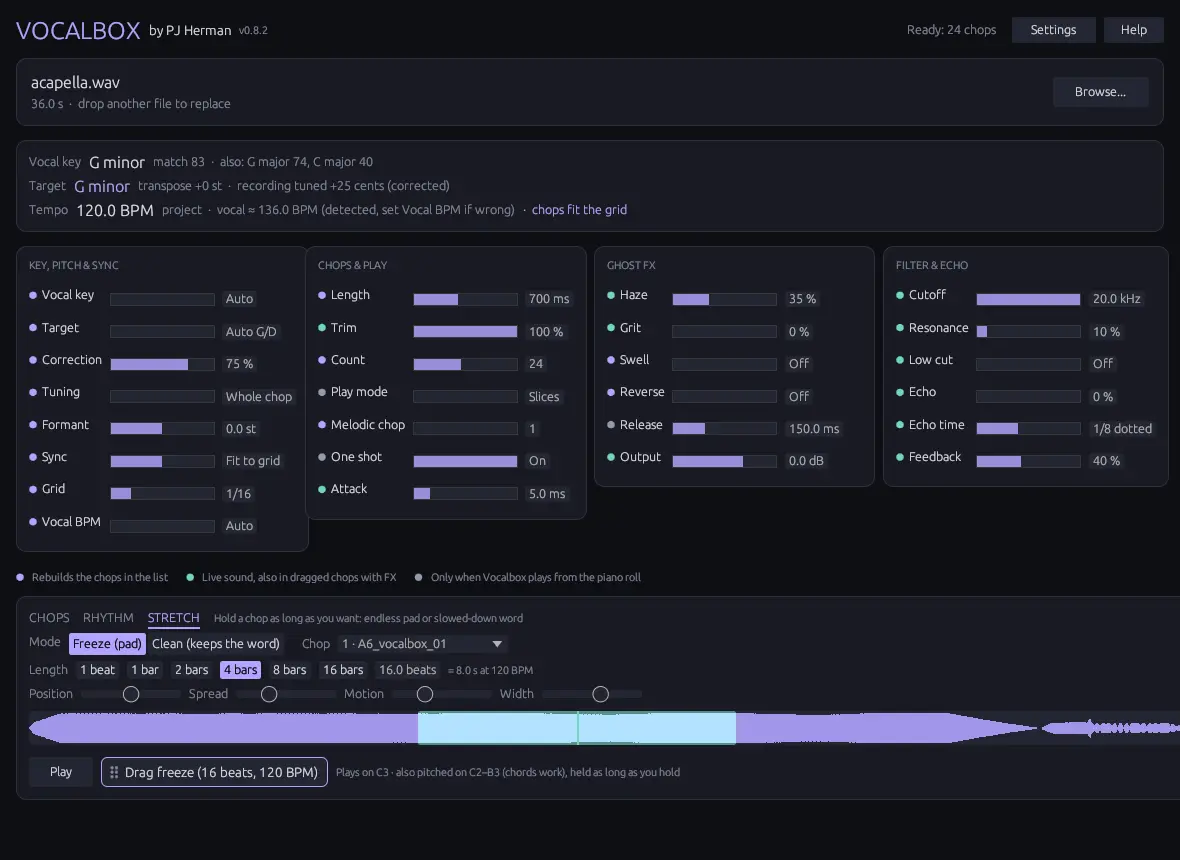
    The Rhythm tab turns chops into stutters and gated patterns. The Stretch tab holds a chop as long as you like, as an endless pad or a slowed-down word.

  5. Drag it into FL

    Grab a chop name in the list and drop it on the playlist, Channel Rack or a sampler. With “with FX” on, the file sounds exactly like Vocalbox, reverb tail included.

The interface

What happens to your vocal:

Your vocalChopTuneSync to tempoShapeChop list

Controls with a purple dot change one of these stages and rebuild the chop list. Green controls change the sound live. Grey controls only matter when you play Vocalbox from the piano roll.

Key, pitch & sync

Vocal key
Auto, or set the key yourself if detection guesses wrong.
Target
The key to tune to. Auto picks G minor or D minor, whichever needs the smaller shift.
Correction
0% only transposes. 100% puts every chop exactly on a scale note.
Tuning
Whole chop keeps natural slides. Note by note is tighter.
Formant
Moves the voice character up or down without changing pitch.
Sync
Fit to grid stretches each chop to whole grid steps. Match tempo stretches the whole vocal to your tempo. Off keeps the original timing.
Grid / Vocal BPM
Step size for Fit to grid, and the acapella's own tempo if the detected one is wrong.

Chops & play

Length
Target chop length, from 100 ms stabs to 4 s phrases. A chop never runs past the end of a sung phrase.
Trim
Plays only the first part of every chop, instantly, without re-chopping.
Count
How many of the best chops to keep (4 to 48).
Play mode
Slices (one chop per key) or Melodic (one chop on every key).
One shot / Attack / Release
Play chops to the end or only while held, plus fade in and fade out.

Ghost FX

Haze
Dark reverb and low-pass together.
Grit
Saturation.
Swell
A reverse-reverb swell that fades in before each chop. With sync on it's exactly one beat long.
Reverse
Plays chops backwards.
Output
Volume.

Filter & echo

Cutoff / Resonance
Resonant low-pass for filter sweeps.
Low cut
High-pass that keeps the vocal out of the bass.
Echo / Echo time / Feedback
Tempo-synced ping-pong echo, 1/16 to 1/2 with dotted values.

Rhythm tab

Paint a step pattern with your chops. Hold C4 or press Play to loop it.

Steps / Step
8, 16 or 32 steps of 1/32 up to 1/4 notes.
Paint
Pick a chop and a brush (hit, stutter x2 to x4, reverse, tie, rest), then click or drag over the steps. Right-click clears.
Swing / Gate
Delay every second step; set how much of each step a hit fills.
Restart / Continue
Each hit replays the chop from the top (stutter), or carries on through the phrase.
Sync
While FL plays, step 1 always lands on the bar, wherever you press C4.
Stretch tab

Hold one chop for as long as you want. Plays on C3.

Freeze
An endless, smooth pad built from the singer's own voice. Play it as chords on C2 to B3.
Clean
Slows down only the vowels, so the word stays clear at any length.
Length
1 beat up to 64 bars. The dragged file is exactly that long and loops cleanly.
Position / Spread / Motion / Width
Freeze only: which part is held, how far and how fast it moves around, stereo width.

Hover any control in the plugin and the bar at the bottom explains it. The ? button opens the built-in help.

Settings

Under the gear icon. They apply to every copy of the plugin on your computer.

Export folderWhere dragged and exported chops go. Default is next to your vocal.
SubfolderGive each vocal its own folder inside the export folder.
Include FXPrint Haze, Grit, Trim, Attack and Output into dragged chops (same as the “with FX” box).

Tips

Install

Copy

Unzip the download and copy the .vst3 folder to C:\Program Files\Common Files\VST3\. Replace the old one when you update.

Scan

In FL Studio open Options › Manage plugins and click Find installed plugins. Tick Vocalbox so it shows in your list, then add it to the Channel Rack.

Windows warning

The files aren't code signed yet, so Windows may say “unknown publisher”. Click More info, then Run anyway.

Free during early access

Download Vocalbox

Download Vocalbox
Other pluginsBassboxGlowboxGroovebox