Vocalbox Bassbox Glowbox Groovebox

Instruments for dark electronic music

I made these plugins for myself, around the way I work in FL Studio, and decided to share them here for free.

Heads up: I'm a producer, not a professional developer. I've tested every plugin in my own projects, but save often and tell me if something breaks.

PJ Herman FL Studio
VocalboxGhost vocals

The plugins

Windows 64-bit · made for FL Studio

Vocalbox

Early access
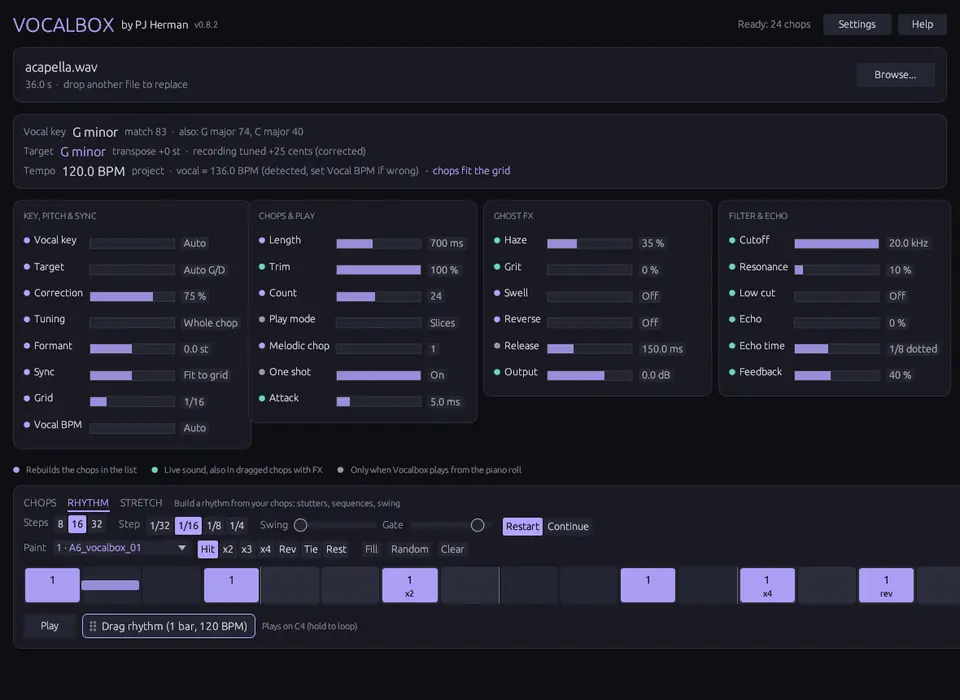
Vocalbox window with the Rhythm tab open

Ghost vocal chopper

Load an acapella and it cuts it into short chops in your key and tempo. Play them from the piano roll or drag them into FL as audio.

  • Detects key and tempo, then tunes the chops to your track
  • Reverb, saturation, reverse and echo built in
  • Rhythm tab for stutters, Stretch tab for long vocal pads
Freepay what you want
How it worksDownload Vocalbox

Bassbox

Synth
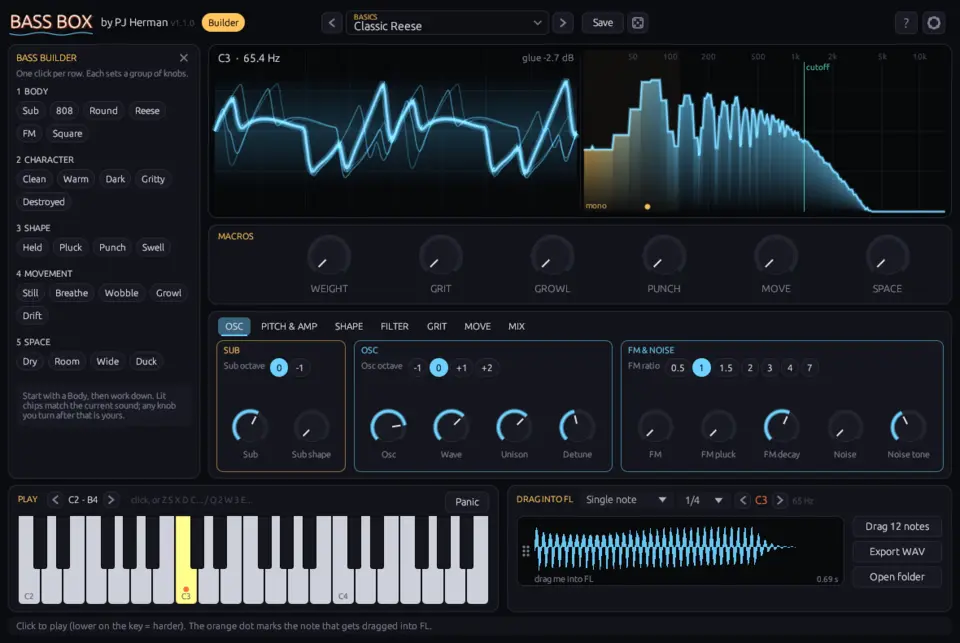
Bassbox window playing a note

Bass and sub synth

A bass synth with a separate sub that stays clean, however much distortion you add on top. 27 presets, from round and clean to heavily distorted.

  • Six macro knobs for quick changes
  • Draw gates and stutters for each note
  • Drag a note or a 1 to 4 bar loop into FL as audio
Freepay what you want
How it worksDownload Bassbox

Glowbox

Synth
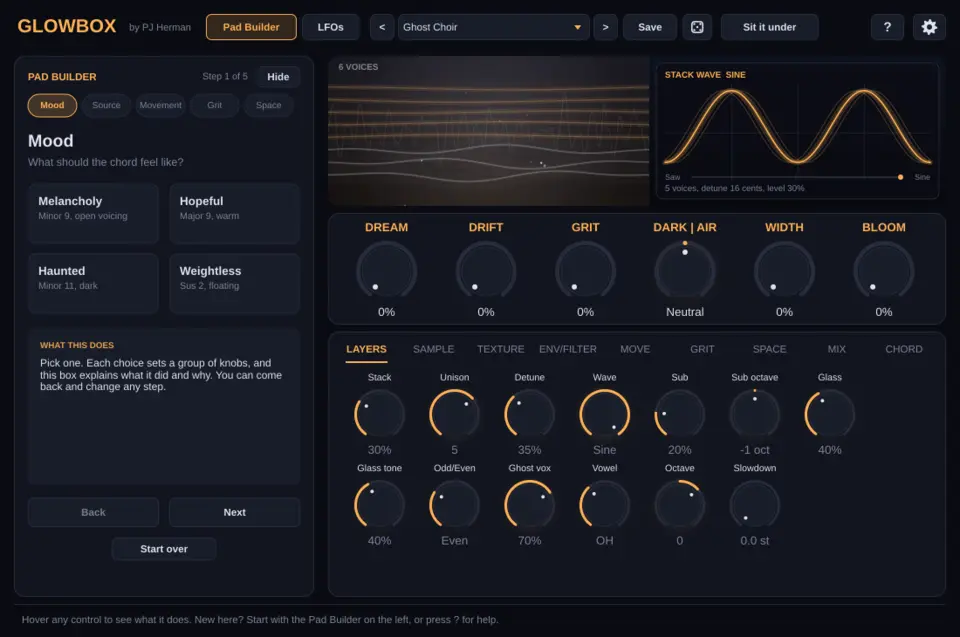
Glowbox window with the Pad Builder

Atmosphere synth

A pad synth for long, slow chords. Hold one key and it plays a full chord, with drift, tape wobble and a big reverb.

  • Load any sample and play it as a granular pad
  • Freeze the reverb and play over it
  • One button to fit it under a mix: low cut, mono lows, a light pump
Freepay what you want
How it worksDownload Glowbox

Groovebox

Drums
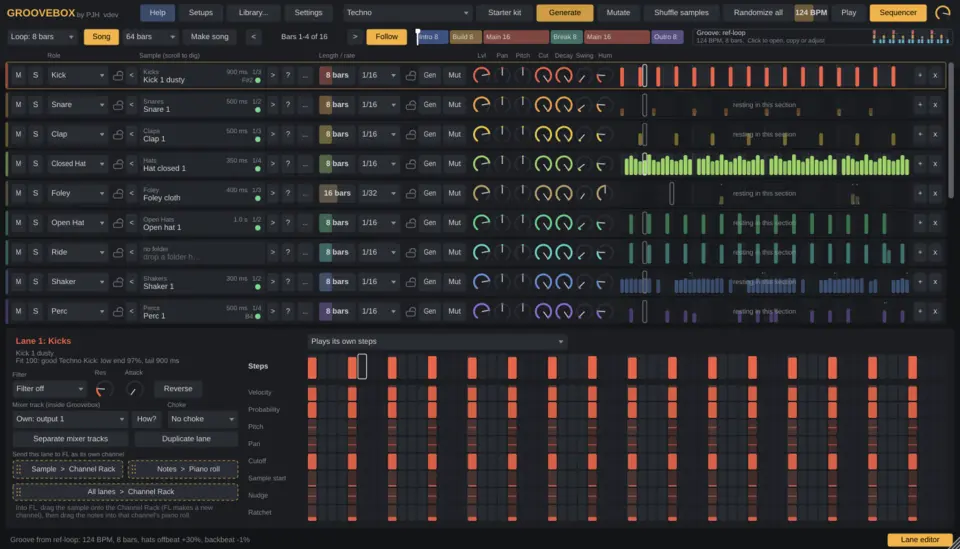
Groovebox window with drum lanes

Drum groove generator

A drum sequencer that works from your own sample folders. It sorts your samples into lanes, rates how well each one fits, and generates patterns per genre.

  • Scroll through samples while the loop plays
  • Generate a pattern, then Mutate it bit by bit
  • Copy the timing feel from any drum loop
Freepay what you want
How it worksDownload Groovebox

All four in one download

The same four plugins in one zip. Free during early access.

Freepay what you want
Download all four

Installing

Formats

VST3 for Windows 10 and 11, 64-bit. Vocalbox and Bassbox also come as CLAP. Bassbox, Glowbox and Groovebox include a standalone app. No Mac version yet.

Where it goes

Copy the .vst3 folder to C:\Program Files\Common Files\VST3\, then in FL open Options › Manage plugins and click Find installed plugins.

Windows warning

The files aren't code signed yet, so Windows may say "unknown publisher". Click More info, then Run anyway.

Questions

How do I get the plugin?

After checkout you get a download link on the page and by email. Keep the email: the same link gets you updates.

Does it work in other DAWs?

I build and test them in FL Studio. Other Windows DAWs that load VST3 should work, but dragging audio out is made for FL.

Is there a Mac version?

Not yet. If enough people ask for one, I'll make it.

Who made these?

Me, PJ. I'm a producer, not a professional developer. I built these around my own workflow and test every version in my own FL Studio projects. If something crashes or acts strange, the contact form below goes straight to me.

What does early access mean?

The plugins work, but I'm still fixing bugs and adding things. Your download link always gets you the latest version.

Are they really free?

Yes, for now. Enter €0 at checkout, or pay what you like.

Why do I need to check out for a free plugin?

So you get a download link by email that always points to the newest version. Payments go through Polar, so your card details never touch this site.
Bugs and questions

Tell me what went wrong or what you'd like to know, and I'll reply by email. For bugs, add the plugin version and what you did right before it happened.

What's it about?