Pad Builder
The guided panel on the left. Hide it for more room.
- Mood / Source / Movement / Grit / Space
- Five steps, one choice each, each setting a group of knobs.
Guide · v1.5
Atmosphere synth
A pad synth for long, slow chords. Hold one key for a full chord, then add movement, texture and reverb.
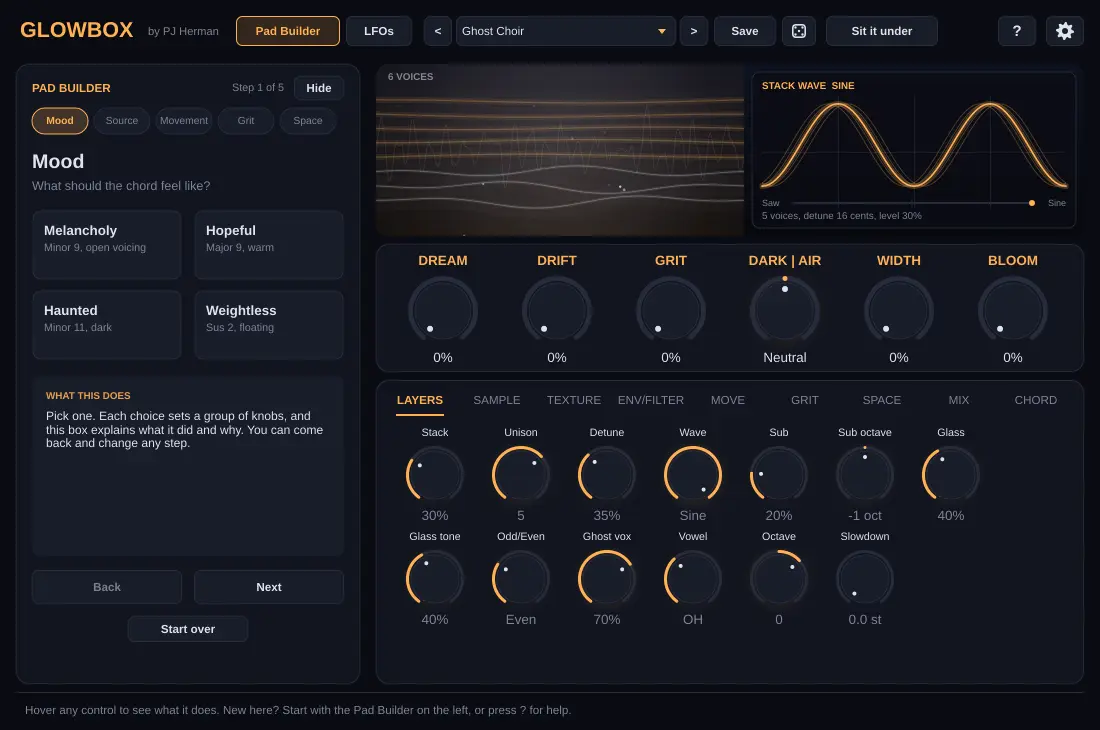
Open the Pad Builder on the left and pick one option per step: Mood, Source, Movement, Grit and Space. Each choice explains what it did.
Chord mode plays a full, open-voiced chord from a single key: minor 9, minor 11, major 9, sus 2, and darker ones too.
DREAM, DRIFT, GRIT, DARK | AIR, WIDTH and BLOOM shape the whole sound. All automatable.
One button cuts the lows, scoops the mids where vocals live, makes the low end mono and adds a tempo-locked pump.
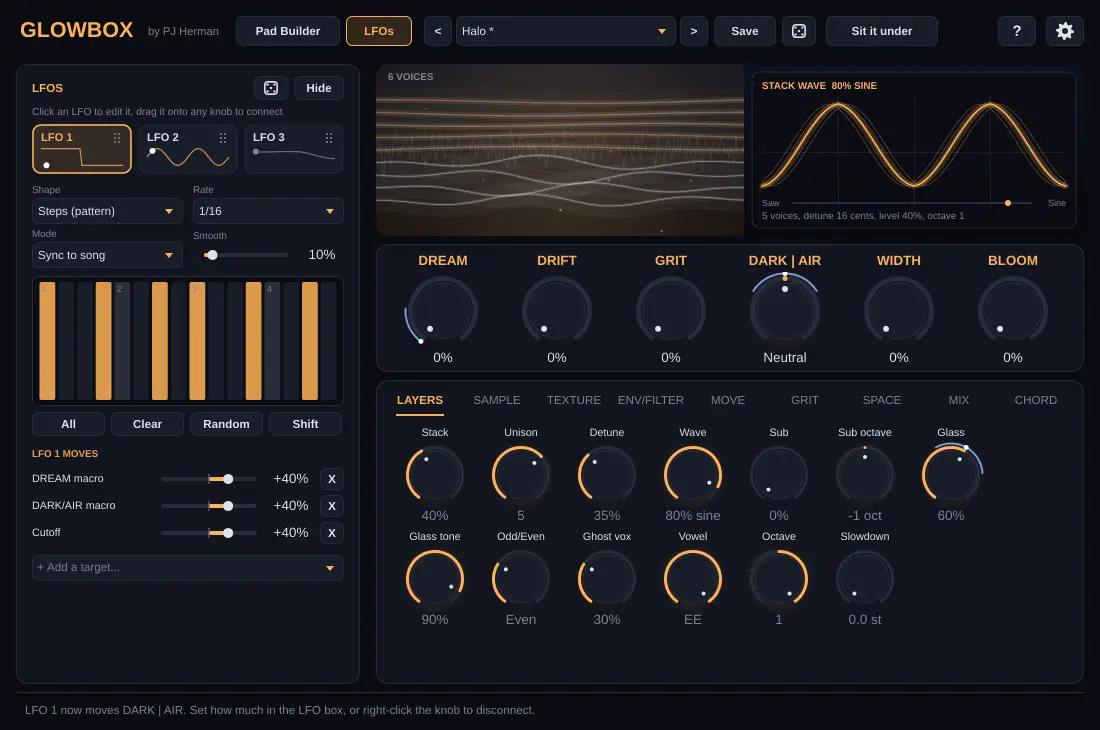
The dice next to Save gives musical variations. The LFO box has its own dice for new movement.
How the sound is built:
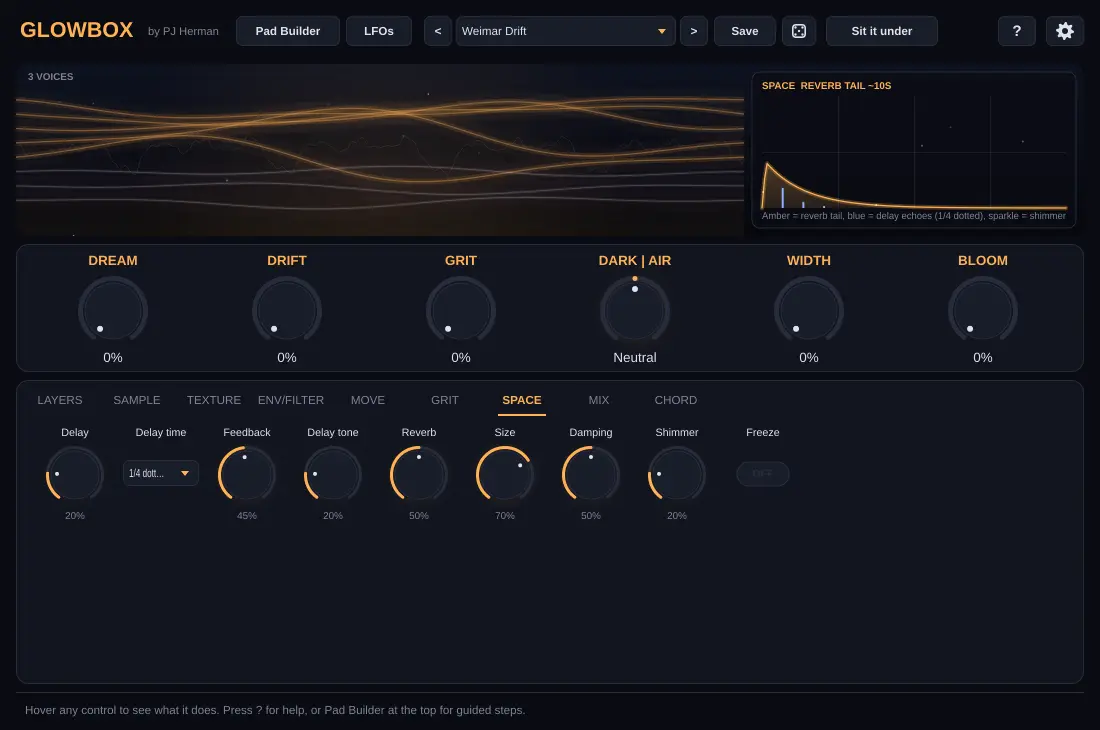
Every section has its own tab. The display graphs whatever you hover or turn, so you can see what a knob does before you hear it.
The guided panel on the left. Hide it for more room.
Press LFOs at the top.
Hover any control in the plugin and the bar at the bottom explains it. The ? button opens the built-in help.
Under the gear icon. They apply to every copy of the plugin on your computer.
| Interface size | 75% to 150%. |
| Polyphony | 8 to 32 voices. Chord mode uses 4 to 7 per key. |
| Pitch bend / Velocity | Bend range, and how much your playing changes the level. |
| CPU mode | Eco caps unison at 3 and uses fewer grains. |
| Hover hints / Pad Builder | Show or hide the explanation bar and the guided panel. |
| Default preset | The sound a new Glowbox starts with. |
Unzip the download and copy the .vst3 folder to C:\Program Files\Common Files\VST3\. Replace the old one when you update.
In FL Studio open Options › Manage plugins and click Find installed plugins. Tick Glowbox so it shows in your list, then add it to the Channel Rack.
The files aren't code signed yet, so Windows may say “unknown publisher”. Click More info, then Run anyway.
Free during early access